Top Enterprise Cloud Backup Solutions to Prevent Data Loss
In today’s digital economy, data has become one of the most valuable assets an organization possesses. From customer records and financial transactions to intellectual property and operational information, businesses rely heavily on data to function efficiently. However, cyberattacks, hardware failures, natural disasters, human error, and ransomware incidents continue to threaten the integrity and availability of enterprise data.
According to numerous industry reports, data loss can lead to severe financial consequences, regulatory penalties, reputational damage, and prolonged operational disruptions. As a result, enterprise cloud backup solutions have evolved from optional investments into critical components of modern business continuity strategies.
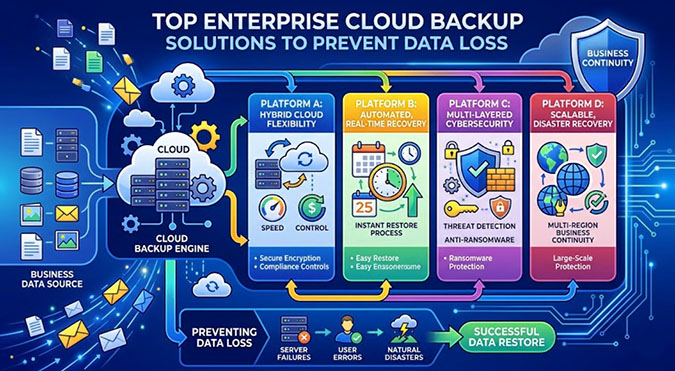
This article explores why enterprise cloud backup matters and highlights some of the top cloud backup solutions organizations can adopt to prevent data loss.
Why Enterprise Cloud Backup Is Essential
Traditional backup systems often relied on local storage devices such as tapes, hard drives, and on-premises servers. While these methods provided some protection, they frequently lacked scalability, accessibility, and resilience against modern threats.
Cloud backup solutions offer significant advantages, including:
- Automated and scheduled backups.
- Geographic redundancy.
- Rapid recovery capabilities.
- Protection against ransomware.
- Lower infrastructure costs.
- Improved scalability.
- Enhanced compliance support.
- Centralized management.
By storing copies of critical information in secure cloud environments, organizations can recover quickly from unexpected events while minimizing downtime.
Key Features to Look for in Enterprise Backup Solutions
Before selecting a backup platform, enterprises should evaluate several important capabilities.
1. Ransomware Protection
Modern backup systems should include immutable storage, anomaly detection, and malware scanning features. These technologies help prevent attackers from encrypting or deleting backup copies.
2. Flexible Recovery Options
Businesses need the ability to recover individual files, applications, virtual machines, databases, and entire systems depending on the nature of the incident.
3. Scalability
As data volumes increase, backup platforms should grow without requiring major infrastructure changes.
4. Security and Encryption
Strong encryption during transmission and storage protects sensitive business information from unauthorized access.
5. Compliance Support
Organizations operating under regulations such as GDPR, HIPAA, or industry-specific standards require backup solutions that assist with audit trails, retention policies, and data governance.
6. Hybrid Environment Support
Many enterprises operate across on-premises systems, private clouds, and public cloud environments. Effective backup solutions should support all of these infrastructures.
Top Enterprise Cloud Backup Solutions
1. Veeam Backup & Replication
Veeam has established itself as one of the leading enterprise backup providers worldwide. It offers comprehensive data protection for virtual, physical, and cloud workloads.
Key strengths include:
- Fast recovery capabilities.
- Immutable backup options.
- Support for hybrid and multi-cloud environments.
- Advanced ransomware protection.
- Automated backup verification.
Veeam is particularly popular among enterprises using VMware and Hyper-V infrastructures due to its deep virtualization integration.
2. Acronis Cyber Protect
Acronis combines backup functionality with cybersecurity features, creating an integrated approach to data protection.
Its capabilities include:
- AI-based threat detection.
- Endpoint protection.
- Cloud backup management.
- Disaster recovery tools.
- Anti-ransomware technologies.
Organizations seeking both backup and security management within a single platform often find Acronis an attractive option.
3. Druva Data Resiliency Cloud
Druva offers a cloud-native platform designed specifically for modern enterprises. Unlike solutions requiring substantial on-premises infrastructure, Druva operates entirely from the cloud.
Advantages include:
- Simplified administration.
- Reduced hardware expenses.
- Global data protection.
- Automated compliance controls.
- Elastic scalability.
Because of its software-as-a-service model, Druva can significantly reduce operational complexity.
4. Commvault Cloud
Commvault has long been recognized as a trusted name in enterprise data management.
Its backup ecosystem provides:
- Extensive workload coverage.
- Advanced automation.
- Air-gapped backup capabilities.
- Threat detection.
- Granular recovery options.
Commvault serves large enterprises with complex environments requiring extensive customization and sophisticated recovery workflows.
5. Rubrik Security Cloud
Rubrik emphasizes cyber resilience and operational simplicity.
Notable features include:
- Immutable backups.
- Sensitive data monitoring.
- Automated policy enforcement.
- Rapid ransomware recovery.
- Unified management dashboards.
Rubrik’s intuitive interface and strong security focus make it increasingly popular among organizations prioritizing cyber recovery.
6. Cohesity DataProtect
Cohesity aims to consolidate fragmented backup systems into a unified platform.
Its benefits include:
- Centralized data management.
- Cloud-native architecture.
- Machine learning capabilities.
- Multi-cloud protection.
- Efficient storage optimization.
By reducing backup silos, Cohesity helps organizations simplify administration while improving visibility across environments.
7. Microsoft Azure Backup
Organizations heavily invested in Microsoft’s ecosystem often choose Azure Backup.
Core advantages include:
- Seamless integration with Azure services.
- Automated backup scheduling.
- Cost-efficient storage tiers.
- Encryption and access controls.
- Support for hybrid infrastructures.
Azure Backup enables businesses already using Microsoft technologies to strengthen their disaster recovery strategies without deploying separate platforms.
8. AWS Backup
Amazon Web Services offers AWS Backup to protect workloads operating within its cloud environment.
Features include:
- Centralized backup management.
- Policy-based automation.
- Cross-region backup support.
- Compliance reporting.
- Lifecycle management.
For enterprises leveraging multiple AWS services, this solution provides convenient and integrated data protection.
Building an Effective Backup Strategy
Selecting the right technology is only part of the equation. Organizations must also develop a comprehensive backup strategy.
Follow the 3-2-1 Rule
The widely recommended 3-2-1 backup principle involves maintaining:
- Three copies of data.
- Two different storage media.
- One off-site backup copy.
Cloud backup naturally strengthens this strategy by providing geographically separate storage.
Test Recovery Procedures Regularly
Backups are valuable only if they can be restored successfully. Enterprises should conduct scheduled recovery drills to validate procedures and identify weaknesses.
Define Recovery Objectives
Two important metrics guide disaster recovery planning:
Recovery Time Objective (RTO): The maximum acceptable downtime before operations resume.
Recovery Point Objective (RPO): The maximum amount of data loss considered tolerable.
Understanding these objectives helps organizations choose appropriate backup frequencies and technologies.
Implement Role-Based Access Controls
Limiting administrative privileges reduces the risk of insider threats and unauthorized modifications to backup repositories.
Monitor Backup Health Continuously
Automated alerts and reporting tools can quickly identify failed backups, storage shortages, or unusual activity requiring immediate attention.
Common Causes of Enterprise Data Loss
Understanding the threats facing organizations reinforces the importance of cloud backup investments.
Human Error
Employees may accidentally delete files, overwrite records, or misconfigure systems.
Cyberattacks
Ransomware attacks continue to grow in sophistication, targeting both production environments and backup infrastructure.
Hardware Failure
Servers and storage devices eventually fail despite maintenance efforts.
Natural Disasters
Floods, earthquakes, fires, and severe weather events can destroy local data centers.
Software Corruption
Application bugs, failed updates, and database corruption may compromise critical information.
Cloud backup solutions help mitigate these risks by ensuring reliable recovery paths remain available.
The Future of Enterprise Backup
Enterprise backup technology continues to evolve rapidly. Artificial intelligence and machine learning are increasingly being used to detect anomalies, predict failures, and automate responses to security incidents.
Immutable storage technologies are becoming standard defenses against ransomware. Meanwhile, organizations adopting hybrid and multi-cloud architectures require backup platforms capable of protecting workloads regardless of where they reside.
As businesses generate larger volumes of data, automation and intelligent management will become even more essential. The future of enterprise backup lies not only in storing information but also in ensuring cyber resilience and uninterrupted business operations.
Conclusion
Data loss remains one of the most significant threats facing modern enterprises. Whether caused by cybercriminals, accidental mistakes, infrastructure failures, or natural disasters, the consequences can be severe and long-lasting.
Investing in a robust cloud backup solution provides organizations with the ability to recover quickly, maintain compliance, and protect mission-critical information. Solutions such as Veeam, Acronis, Druva, Commvault, Rubrik, Cohesity, Azure Backup, and AWS Backup each offer unique strengths tailored to different business requirements.
Ultimately, the best enterprise cloud backup strategy combines reliable technology with proactive planning, regular testing, and strong security practices. Organizations that prioritize data resilience today will be better prepared to withstand the uncertainties and threats of tomorrow’s digital landscape.